SmartSub: How Admins Cancel A Substitute Assignment
Administrators can cancel an existing substitute assignment within the SmartSub portal. Use the following steps to cancel a substitute assignment.
1. Log into the www.smartsub.com application.
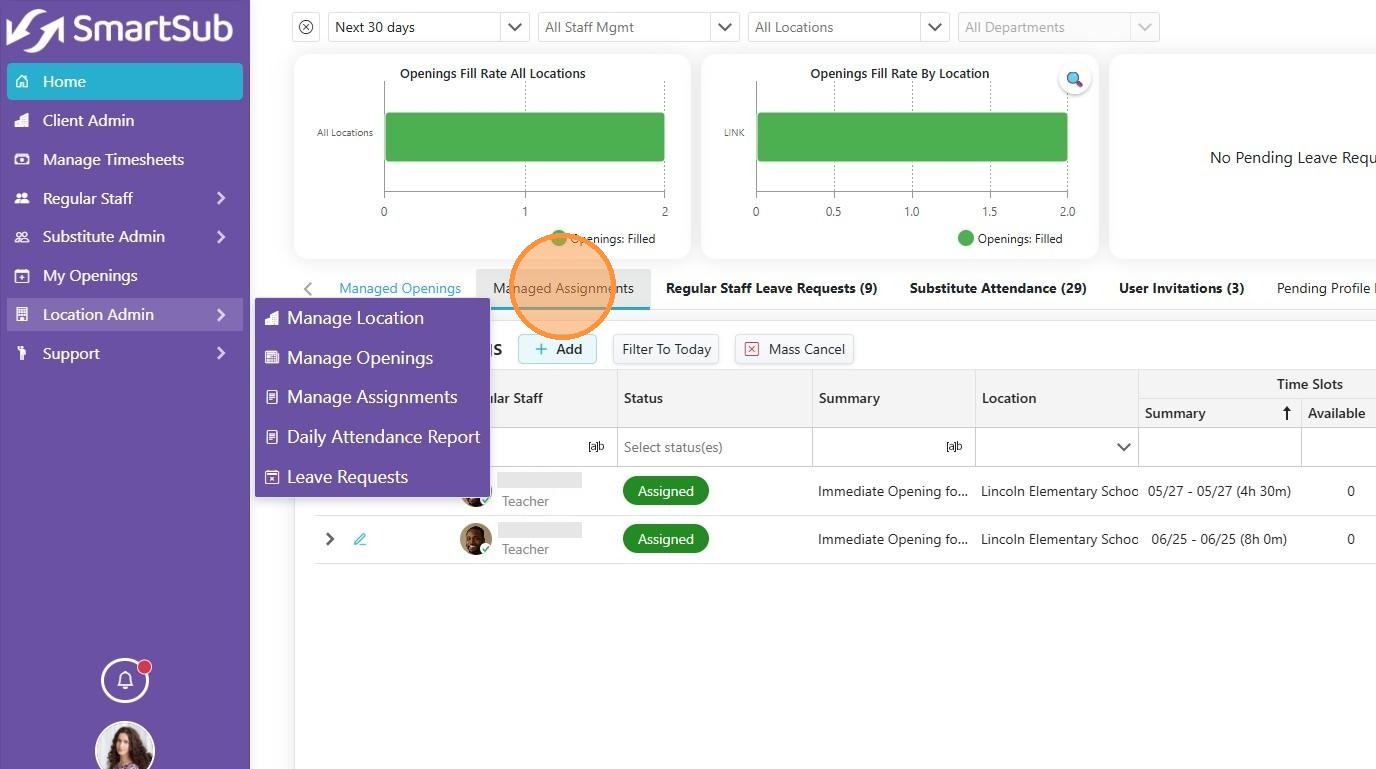
2. Click the "Managed Assignments" tab from the Home screen.
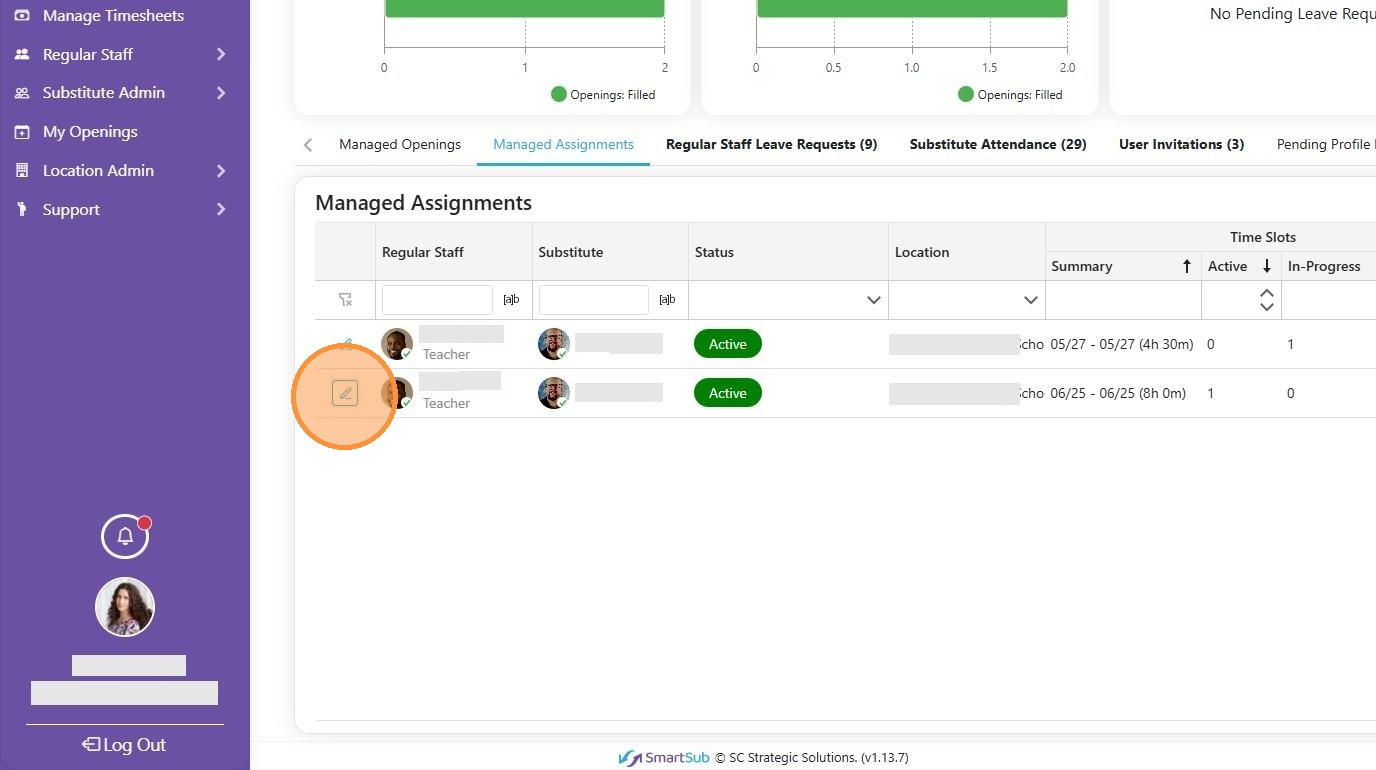
3. Click Edit icon for the specific assignment.
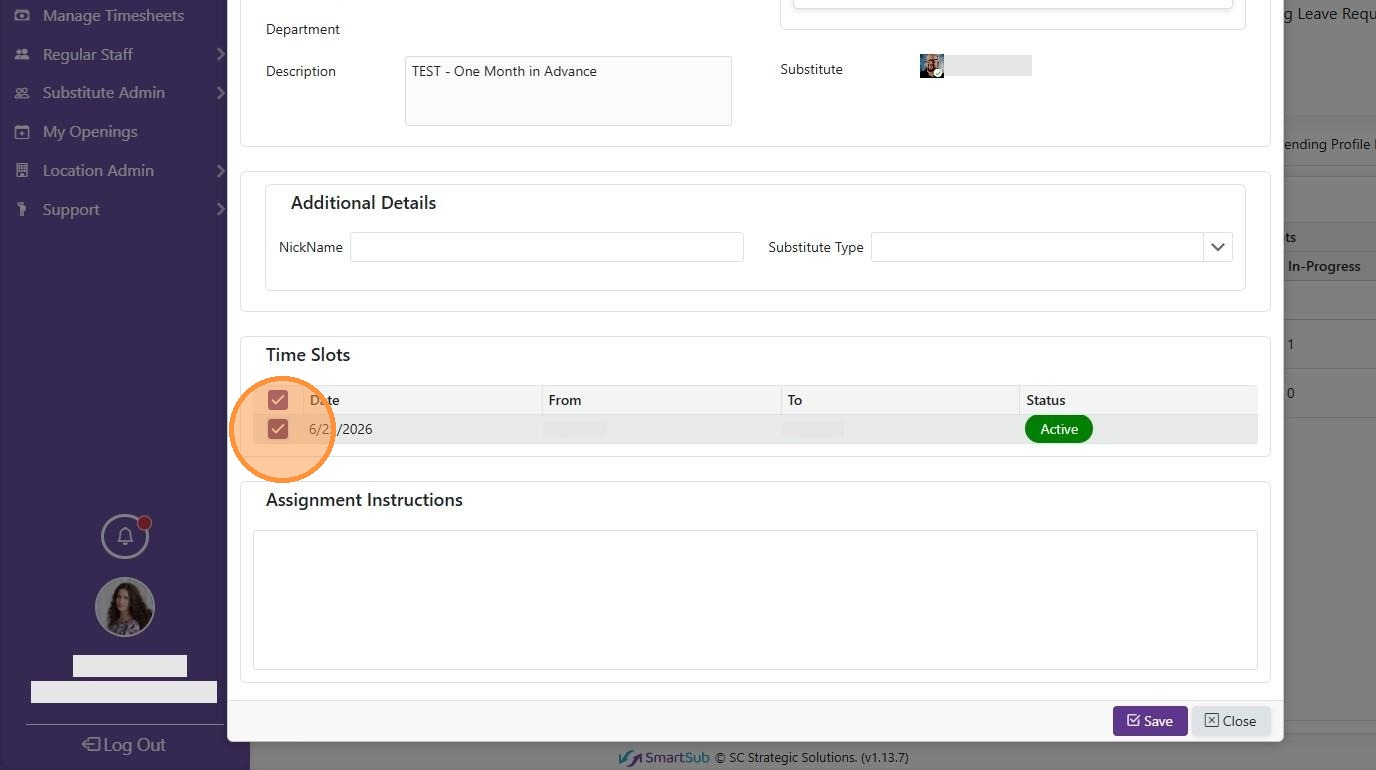
4. Uncheck the desired time slot.
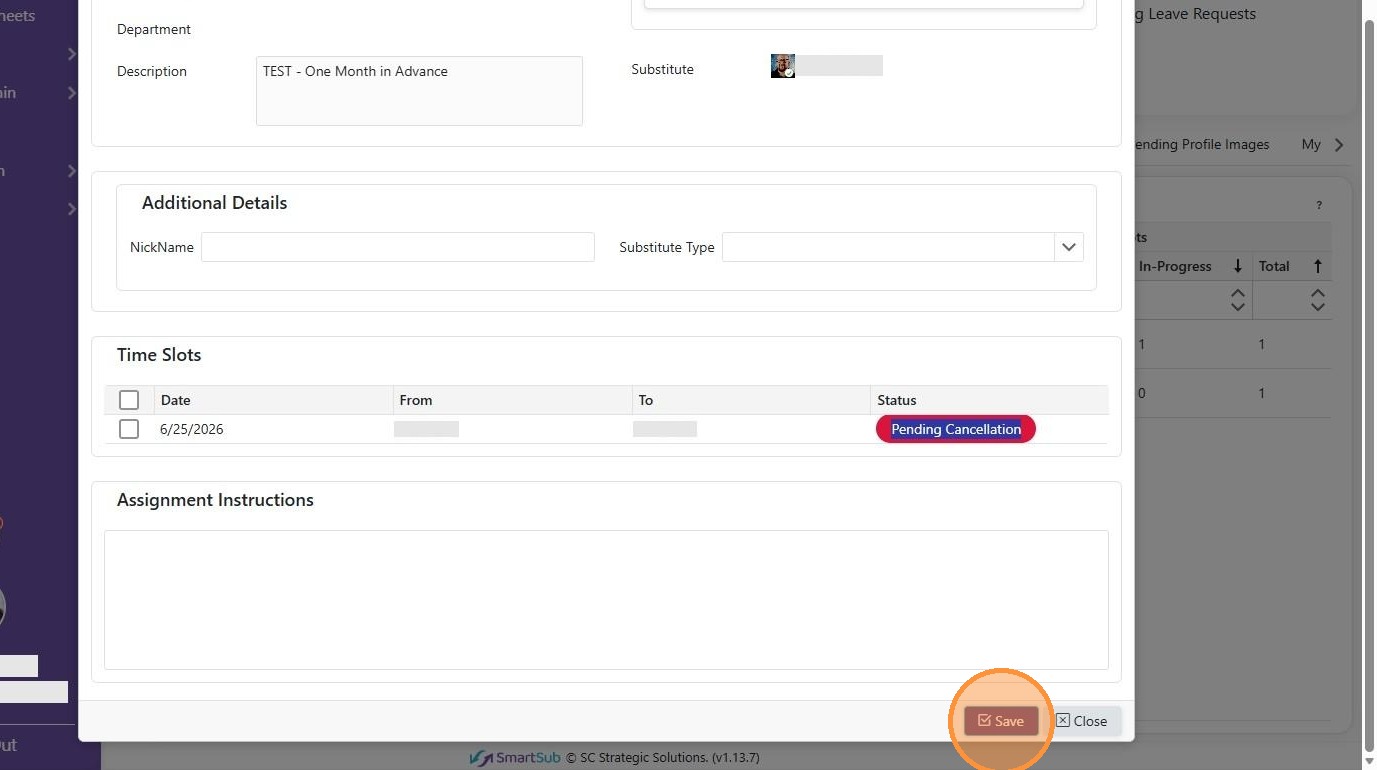
5. The status automatically changes to 'Pending Cancellation'. Click the Save button.
6. Enter a cancellation reason and click the Save button.