FIS: Supervisor Staff Portal - View Staff Absence Information
Requirements
- Have Supervisor access to the Staff Portal.
- Be assigned as the employee's supervisor or supervisor alternate for another supervisor.
Navigation

- Absences by Staff
- Absences by Date Range
- Absence Calendar
Absences by Staff
Use the Absences by Staff tab to review recorded absences for one employee or all employees you supervise. All absence details are displayed on this tab.
Available filters include:
- Year (current year is defaulted)
- Name
- Location
- Absence Type

Absences by Date Range
Use this tab to search for absences within a specific date range.
Optional filters include:
- Employee
- Location
- Absence Type
- Include Outstanding Requests
Absence Calendar
The Absence Calendar provides a visual view of employee absences.
Calendar Views
The calendar supports several viewing options:
- Month
- Year
- Fiscal Year
- Date Range
You can also:
- Navigate to previous or future months or years.
- Hover over an absence to display additional details.
Mobile-Friendly Supervisor Portal
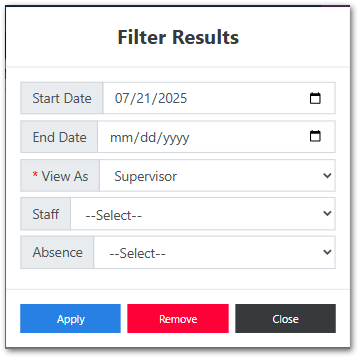
History Tab
Scheduled Tab
Available Reports
The reports reviewed below are only available from the PC option. The mobile friendly option does not include these reports.
Daily Absence Reports - available on Absences by Date Range tab
Use this report to review daily absences.
Available filters include:
- Date Range (required)
- Report Option
- Building or Location
- Class
- Absence Type
- Include Requested Absences
Absence Totals Report - available on Absences by Staff tab
Use this report to review absence totals for a selected date range. Three different reports are available.
Available filters include:
- Date Range
- Absence Type
- Report Options
- Sort Order
Select Run to generate the report.
Absence by Date and Location Report - available from the Outstanding Requests tab
Use this report to review approved and pending absences by location.
Available filters include:
- Date Range (required)
- Location
- Absence
Supervisor Staff Listing Report - available from the Outstanding Requests tab
Use this report to review the employees assigned to you and verify their current job title information.
Available options include:
- As of Date
- Sort Order
Select Run to generate the report.
Tips on Tabs
- Use Absences by Staff when researching one employee's absence history.
- Use Absences by Date Range to review staffing during a specific period.
- Use the Absence Calendar to identify scheduling conflicts and attendance trends.
- Use reports when you need to analyze absence information or print results.